Offline consumption through the app
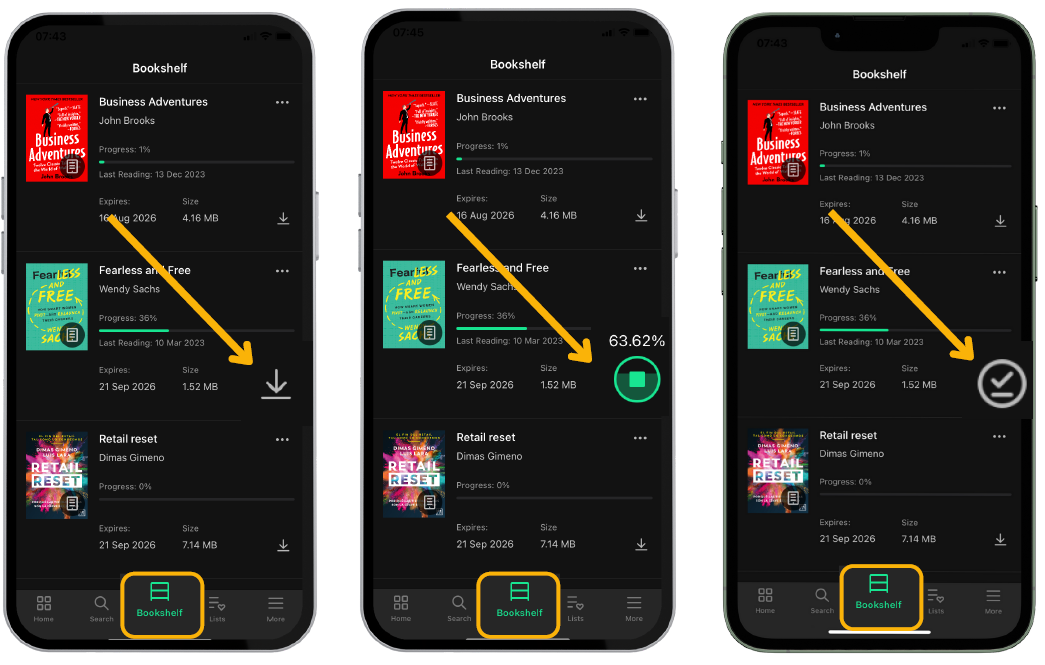
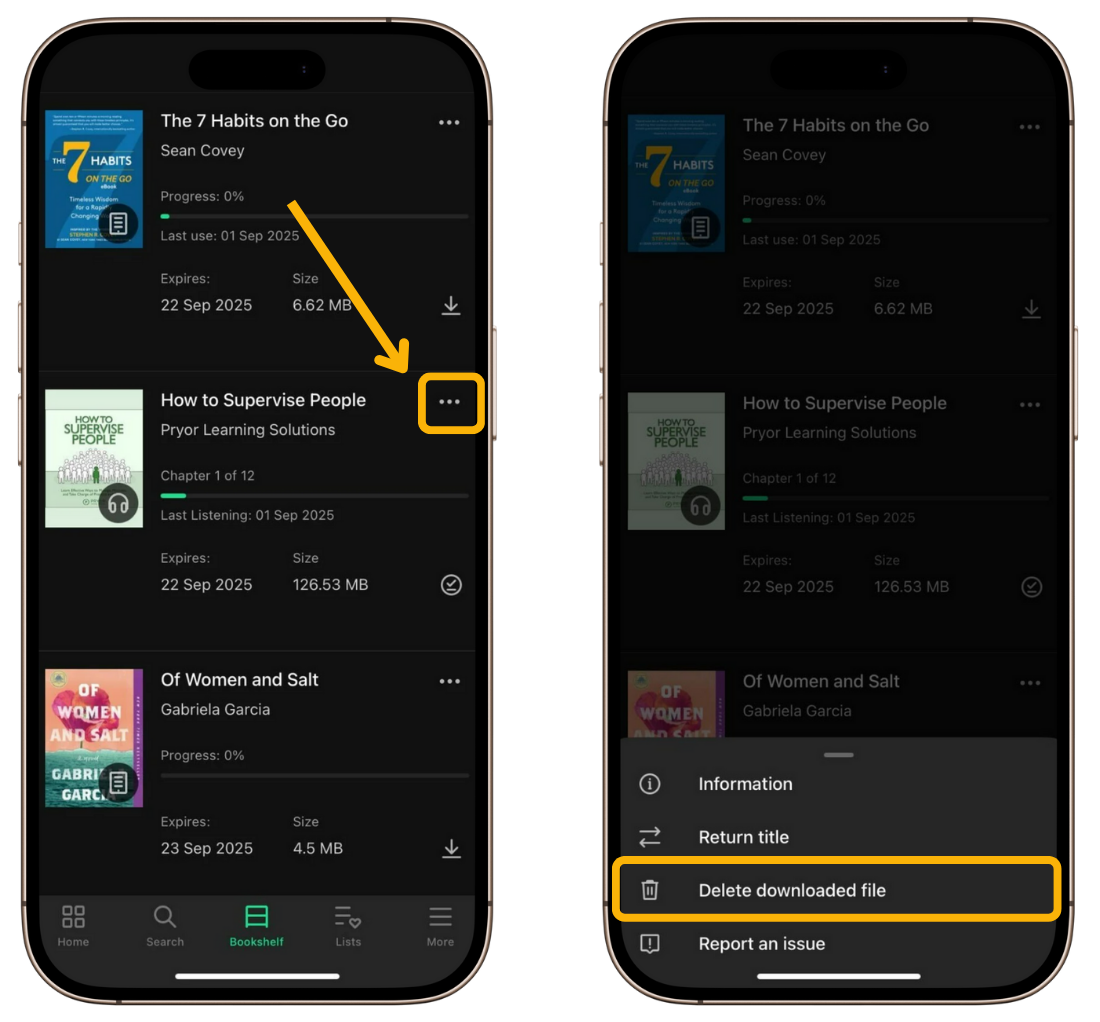
The app allows you to continue your learning without an internet connection. To do this, go to the “Bookshelf” tab and click the download icon.
Important: If you want to access your app without an internet connection, you will only have access to your bookshelf and previously downloaded loans.
Keep in mind that each download increases the amount of storage space used by the app on your mobile device. If you want to free up space, you can delete a downloaded title. To do so, tap the three-dot icon on the right side of the title entry and select “Delete downloaded file”.
Download content automatically
You can configure how resources added to your Bookshelf are downloaded. If you enable automatic downloads, resources will be downloaded to your device as soon as they are added, allowing you to access them offline at any time. By default, the app does not download resources automatically.
To enable automatic downloads:
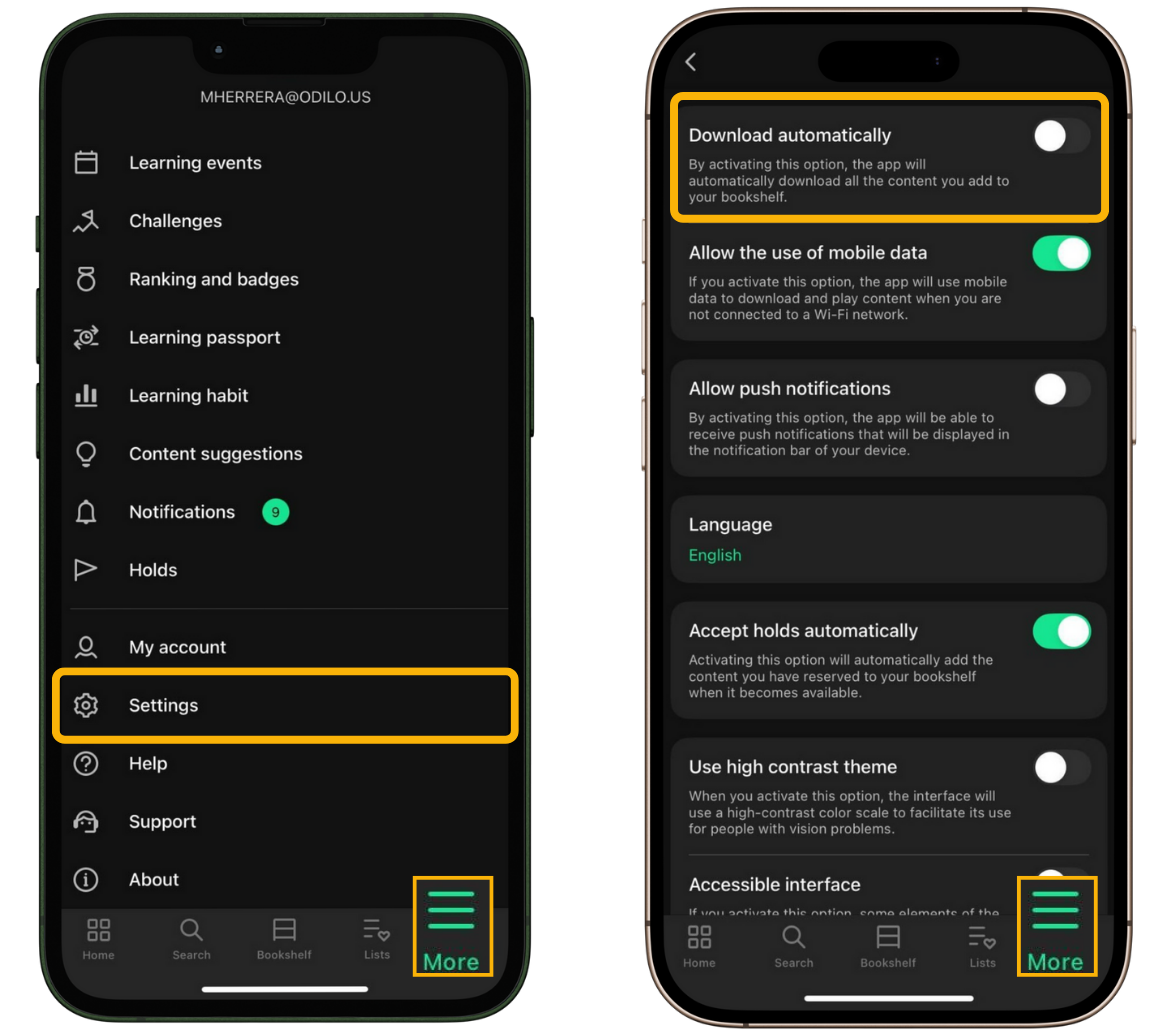
- Open More.
- Go to Settings.
- Select Download automatically and enable the option.
Important: Each download increases the amount of storage space used by the app on your device.