Use the app search
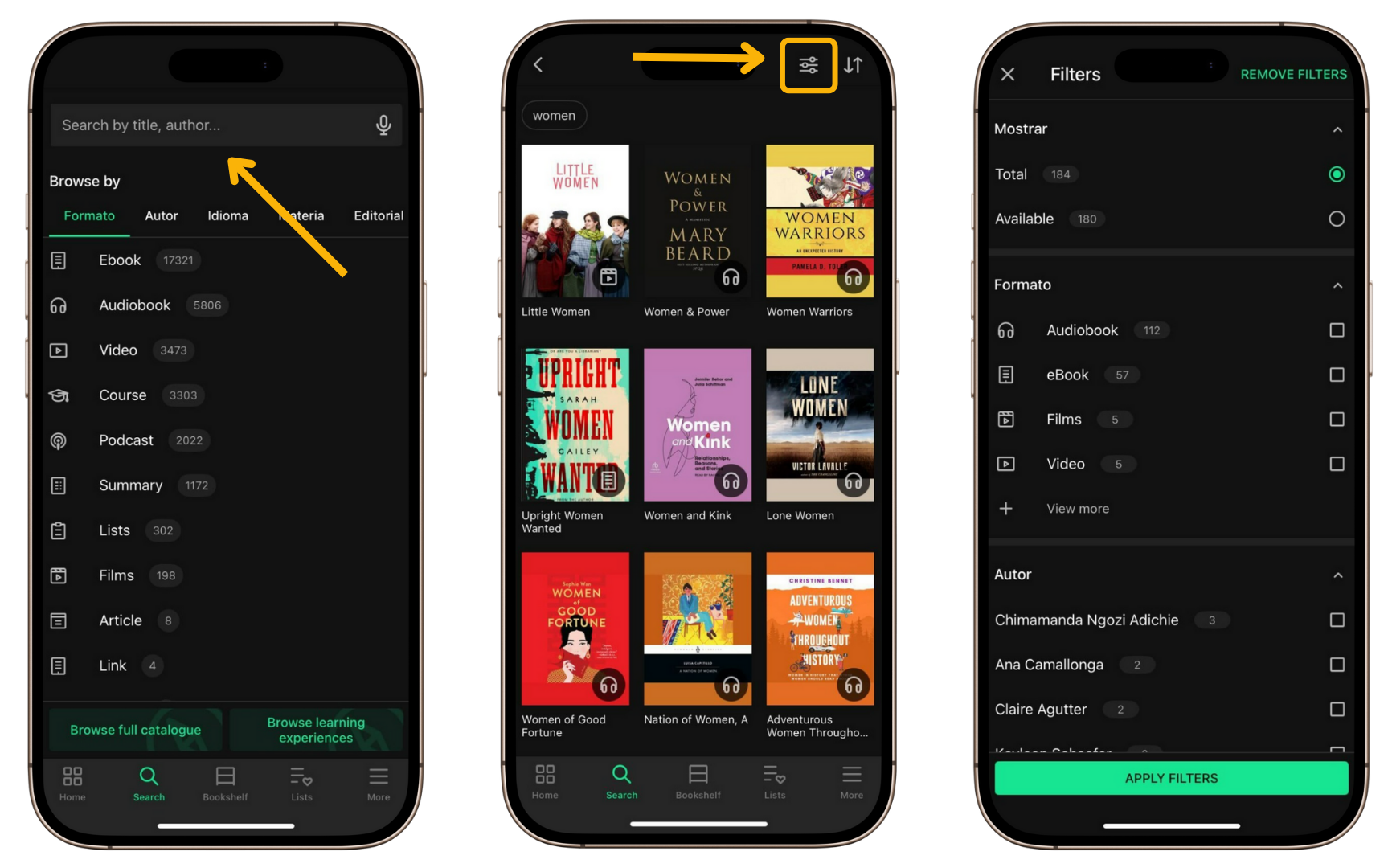
The Search section includes a bar where you can enter keywords to find content within the app. As you type, automatic suggestions will appear based on your input.
To perform a search:
- Enter a keyword in the top search bar.
- Select one of the suggested results or tap Search to view all results.
- Use the filters from the settings icon to refine your results.
If your device supports voice search:
- Tap the microphone icon on the right side of the search bar.
- Allow microphone access, if prompted.
- Say the terms you want to search for.

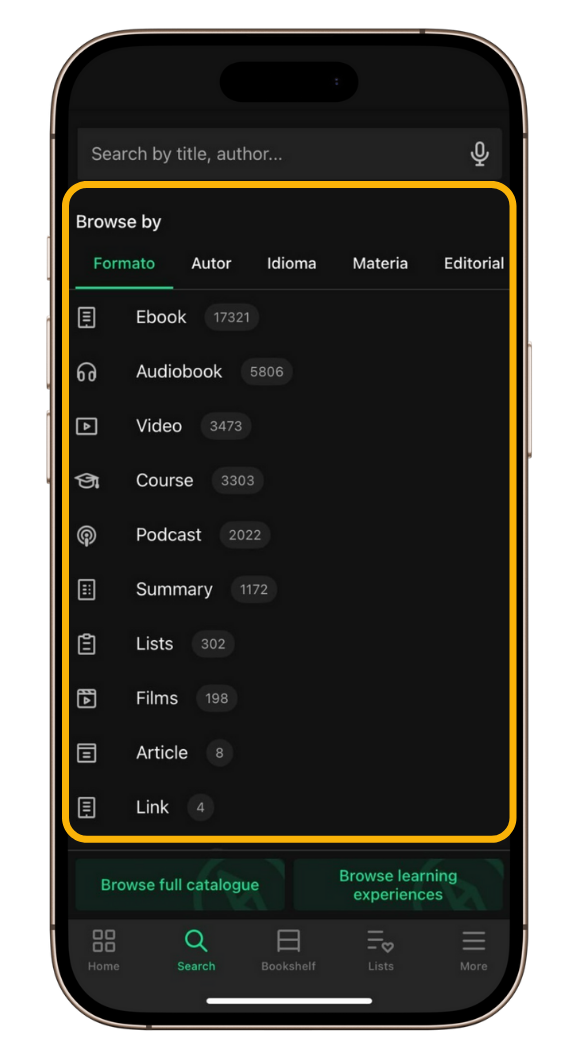
Below the search bar, you will find the Browse by section, with tabs that allow you to run quick searches:
- Swipe through the tabs to view different filters.
- Tap the option you want to start an instant search.