View your progress and achievements
You will have access to your grades at all times, and once a Learning Experience is completed you’ll have access to your certificates, if applicable.
Grades
You can check your achievements and track the progress of your assignments from two areas of the platform:
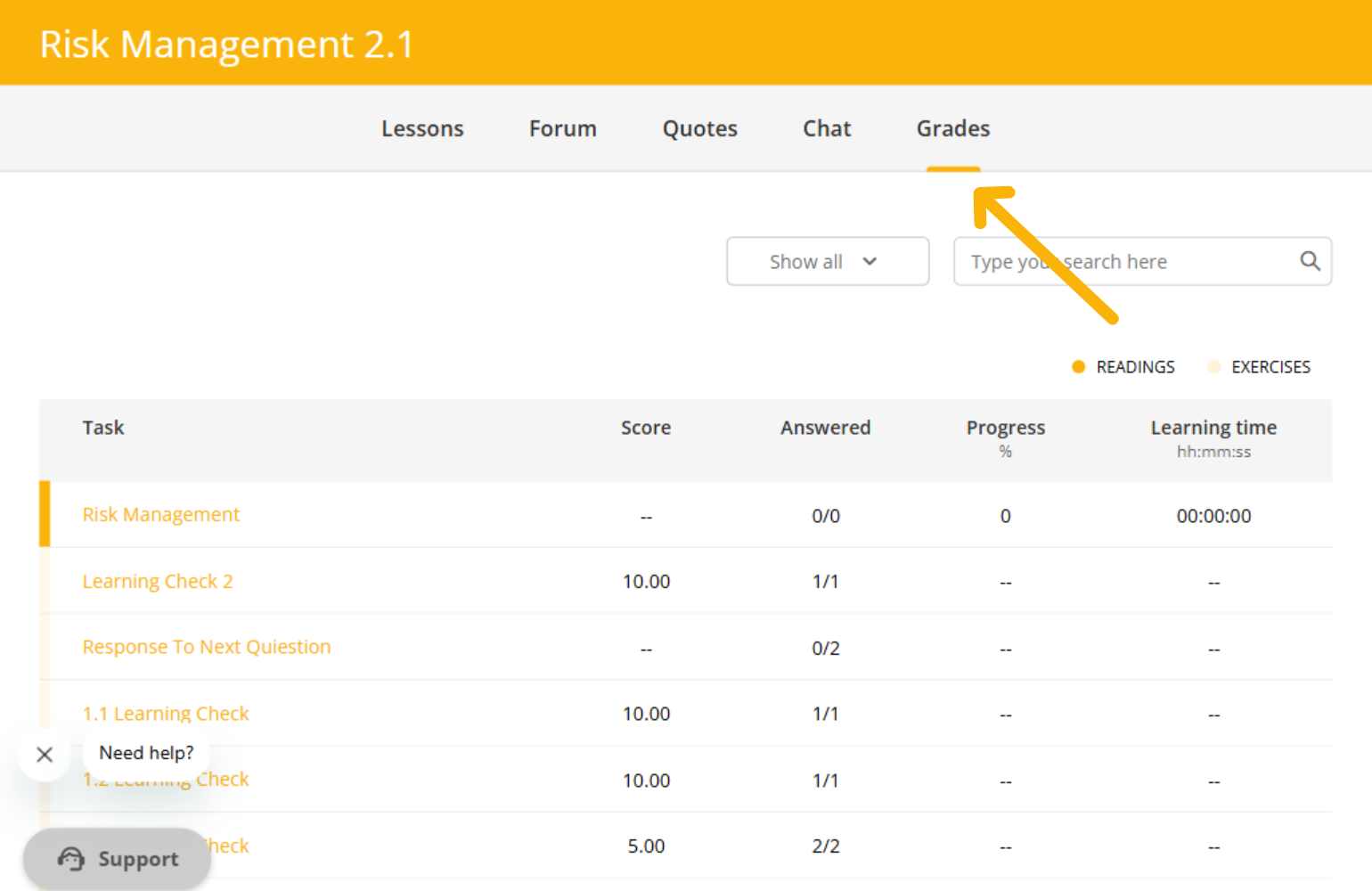
From the Learning Experience
- Enter the Learning Experience you are currently participating in.
- Open the Grades tab to view the details of your assignments, scores, and progress.
From the user area
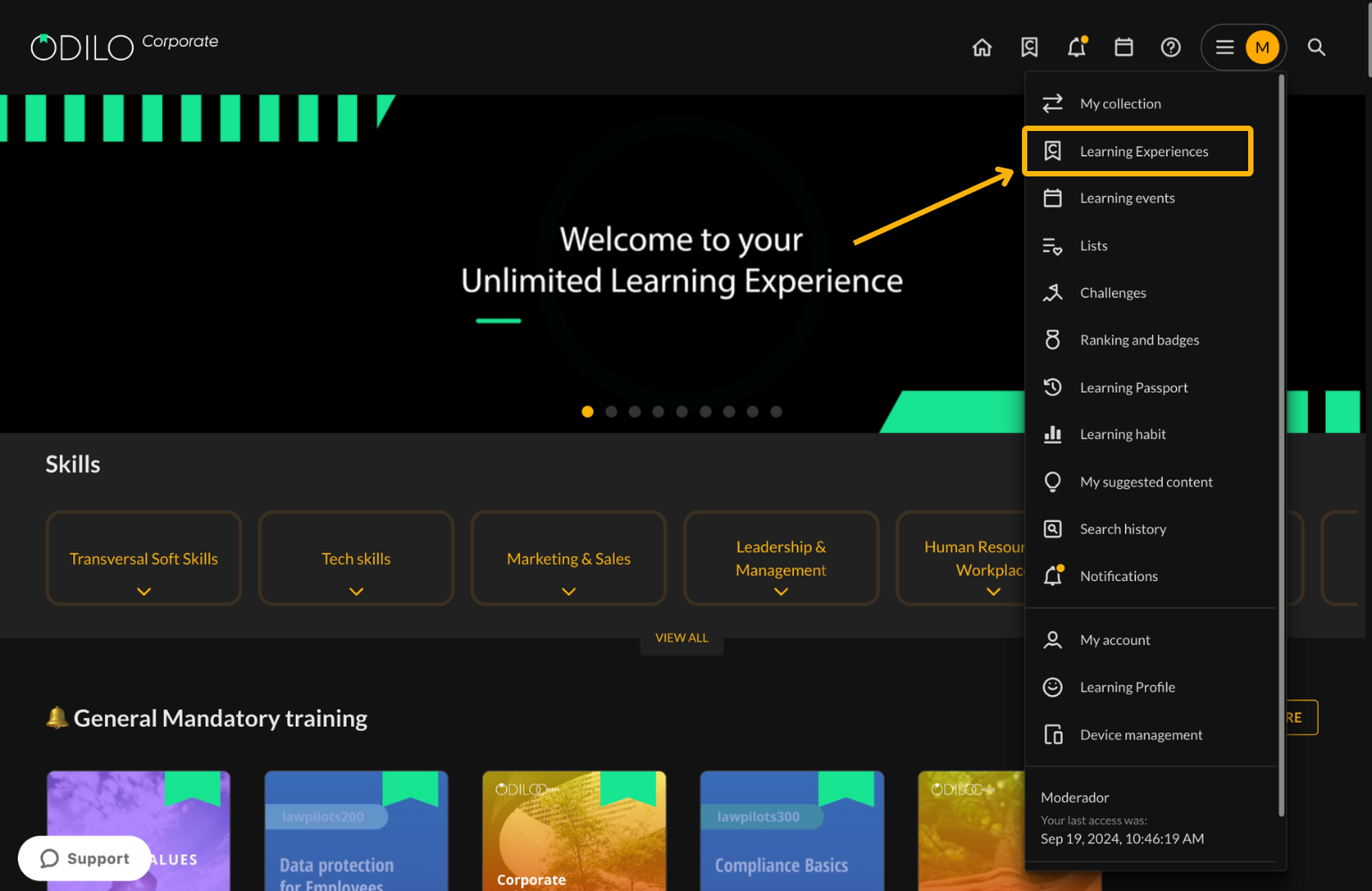
- Access the user area (top right corner) and select Learning Experiences.
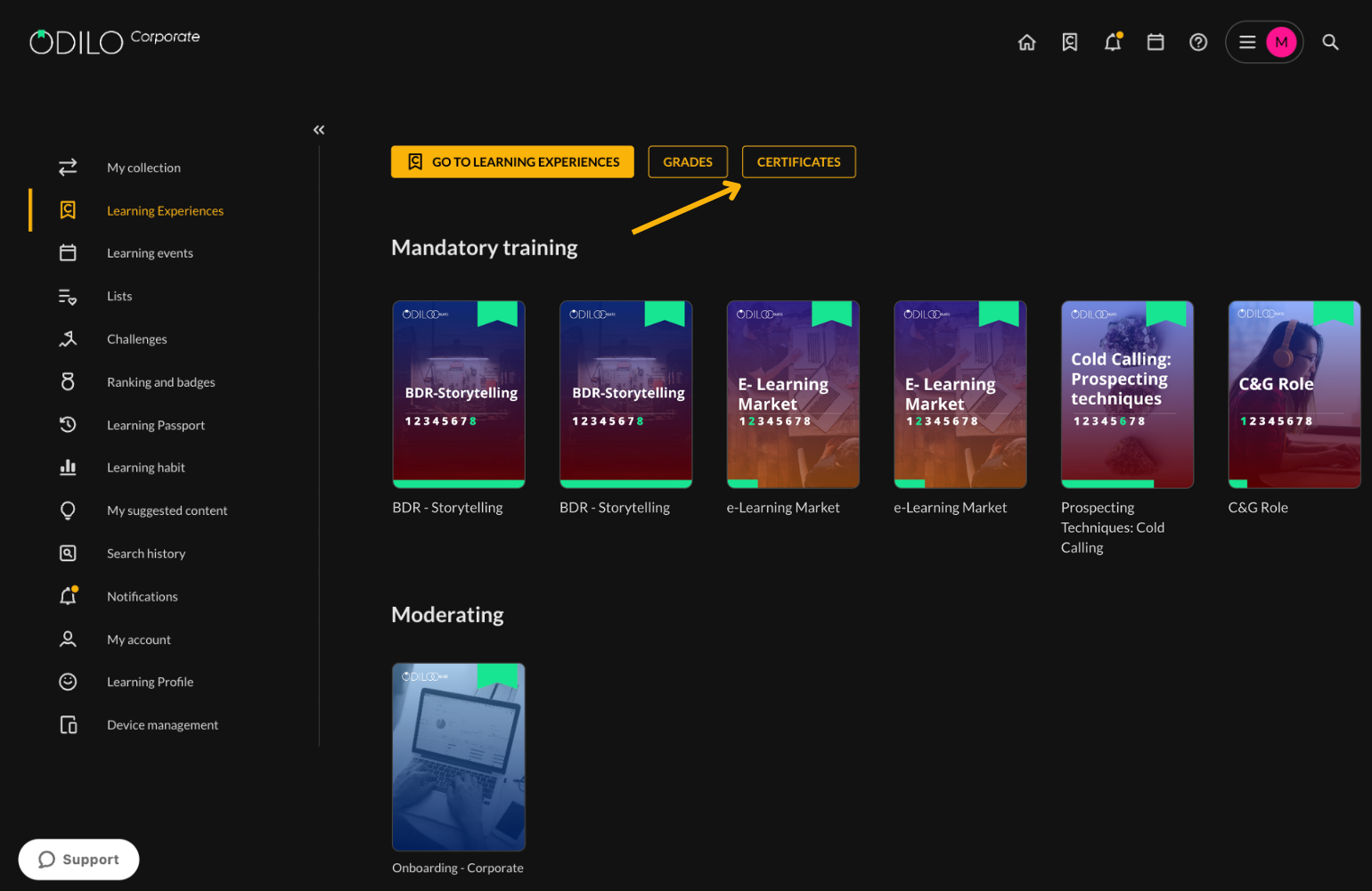
- Click on Grades.
- Select the Learning Experience you want to review or use the search bar.
Important: Here you will see all the Learning Experiences you have started or any mandatory training assigned to you by your organization.
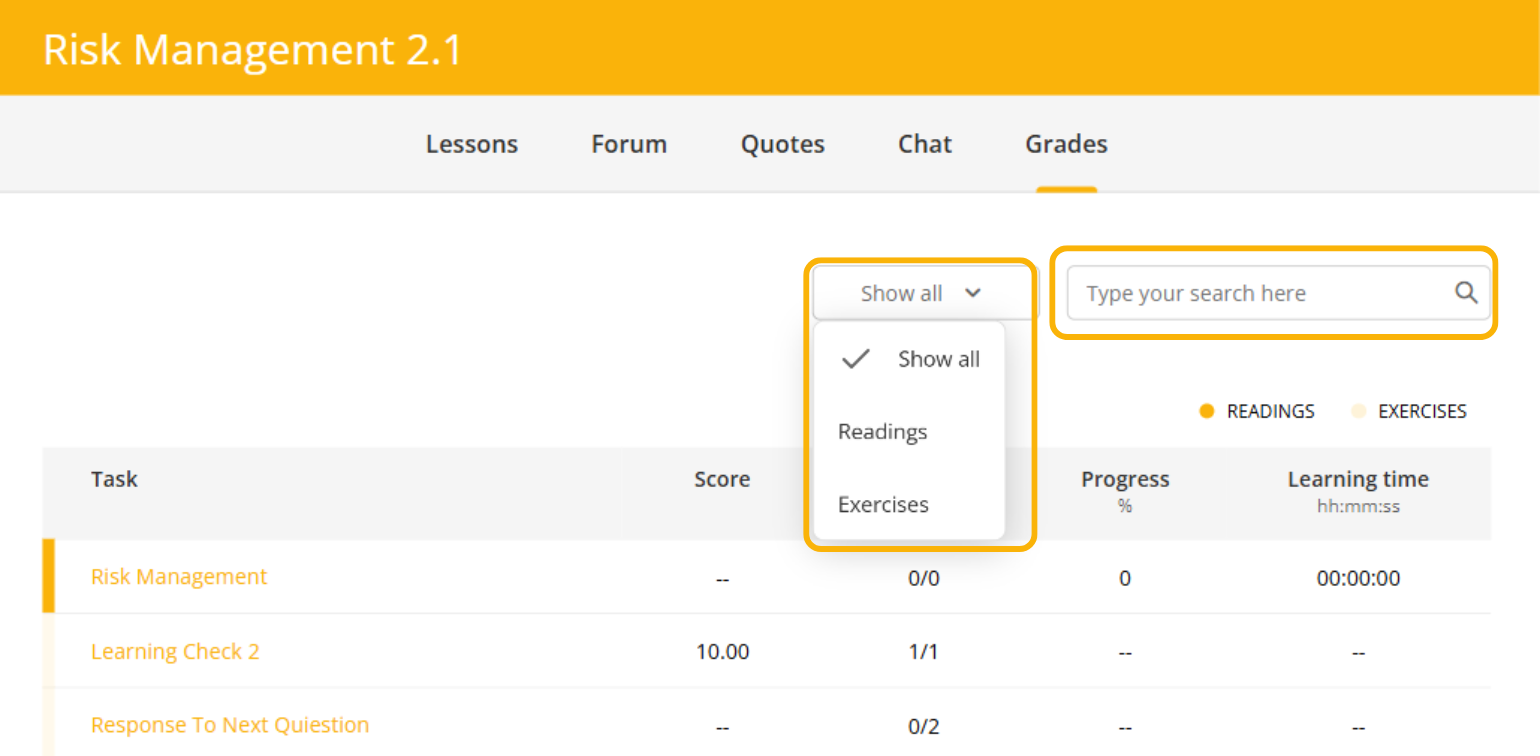
Within the Grades section, you can review each assignment, its score, and additional details.
To organize or search for your assignments:
- Use the filters to view only readings or only exercises.
- Use the search bar to find a specific assignment.
Certificates
Watch this video to learn how to download your certificates
To find out if your experience grants certification, you can check the “Experience details” area.
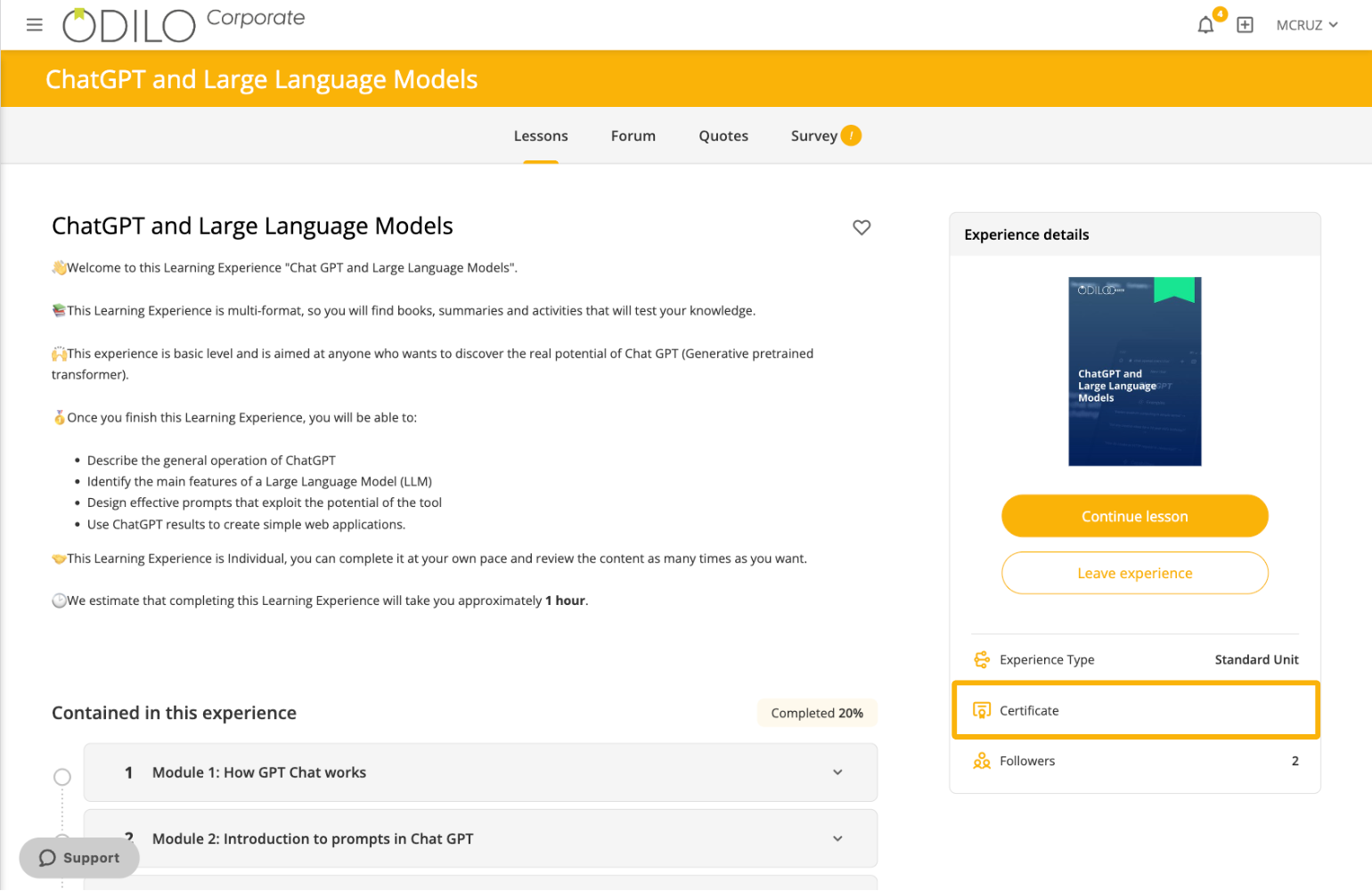
If the Learning Experiences you have completed grant a certificate and you wish to download it, go to your user area and select the option “Learning Experiences”, then click on “Certificates” and you will see the certificates you have obtained.
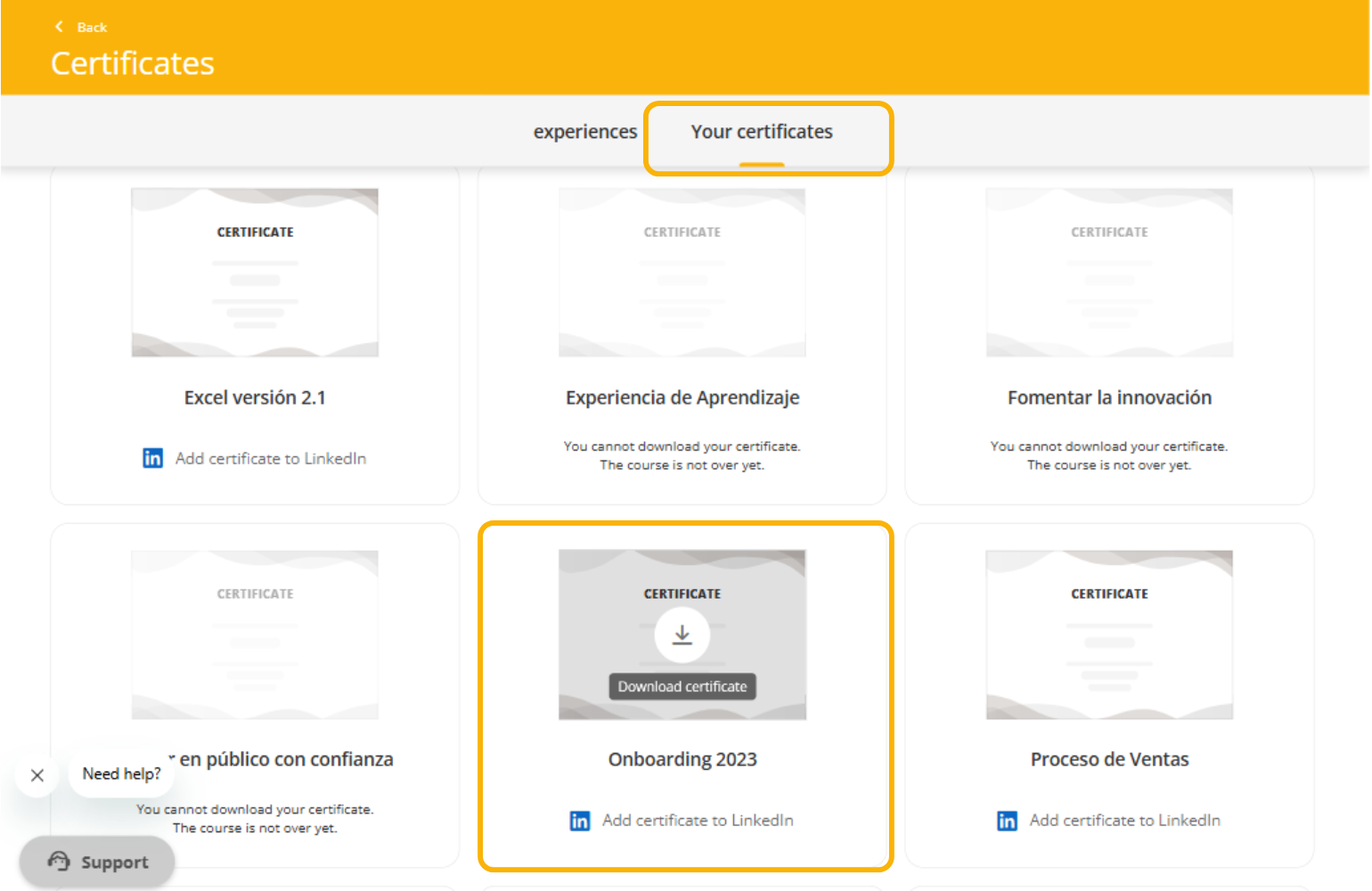
If you cannot find your certificate, make sure that the Learning Experience includes one and that you have completed it correctly.
- All modules must be completed.
- Return any borrowed resources, if applicable.
- All exercises must be submitted and approved.
- Click “Finish” to finalize the experience.
Watch this video and follow the step-by-step instructions to check whether your Learning Experience has been completed successfully.